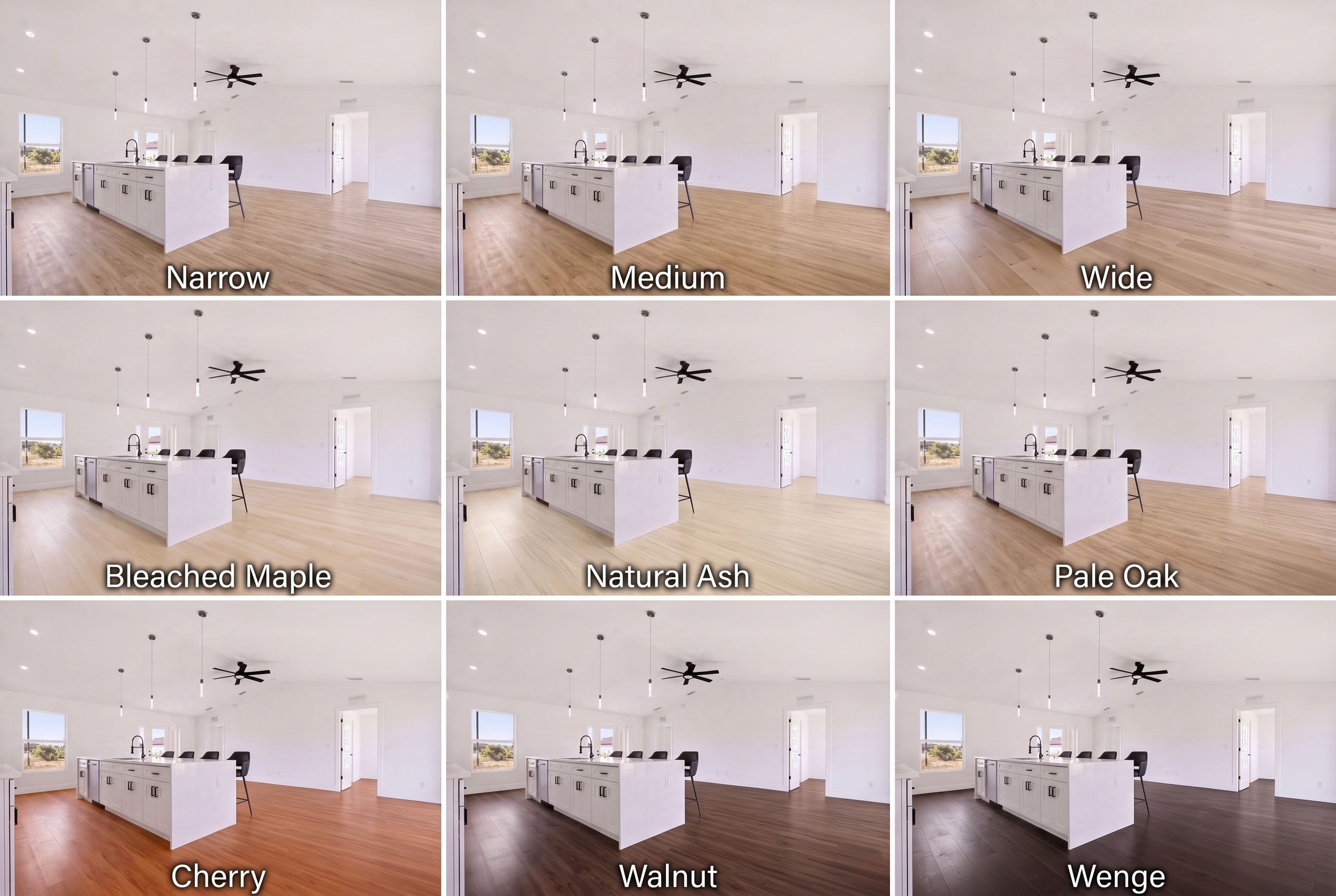
Change only the backsplash band on a cooking wall
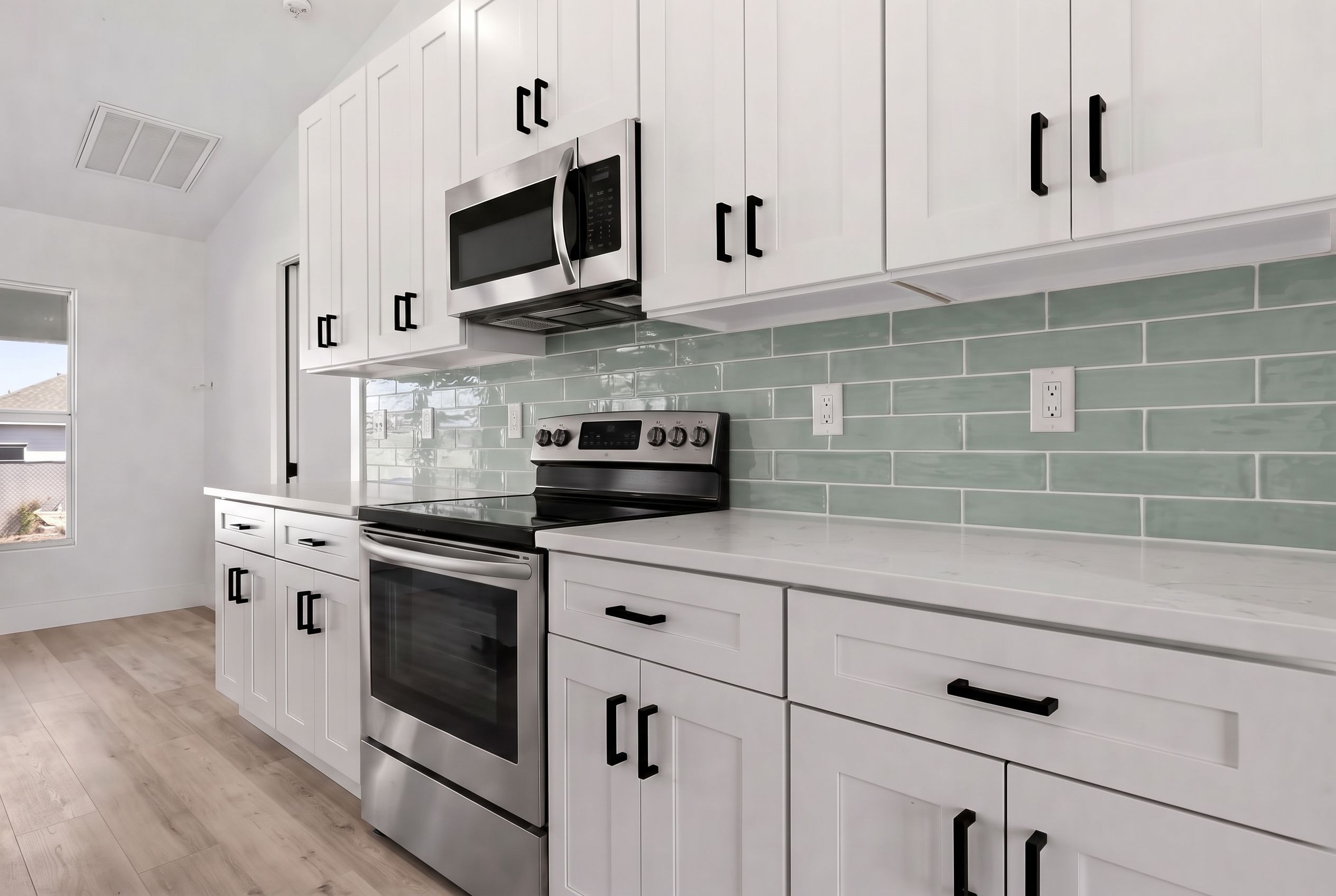
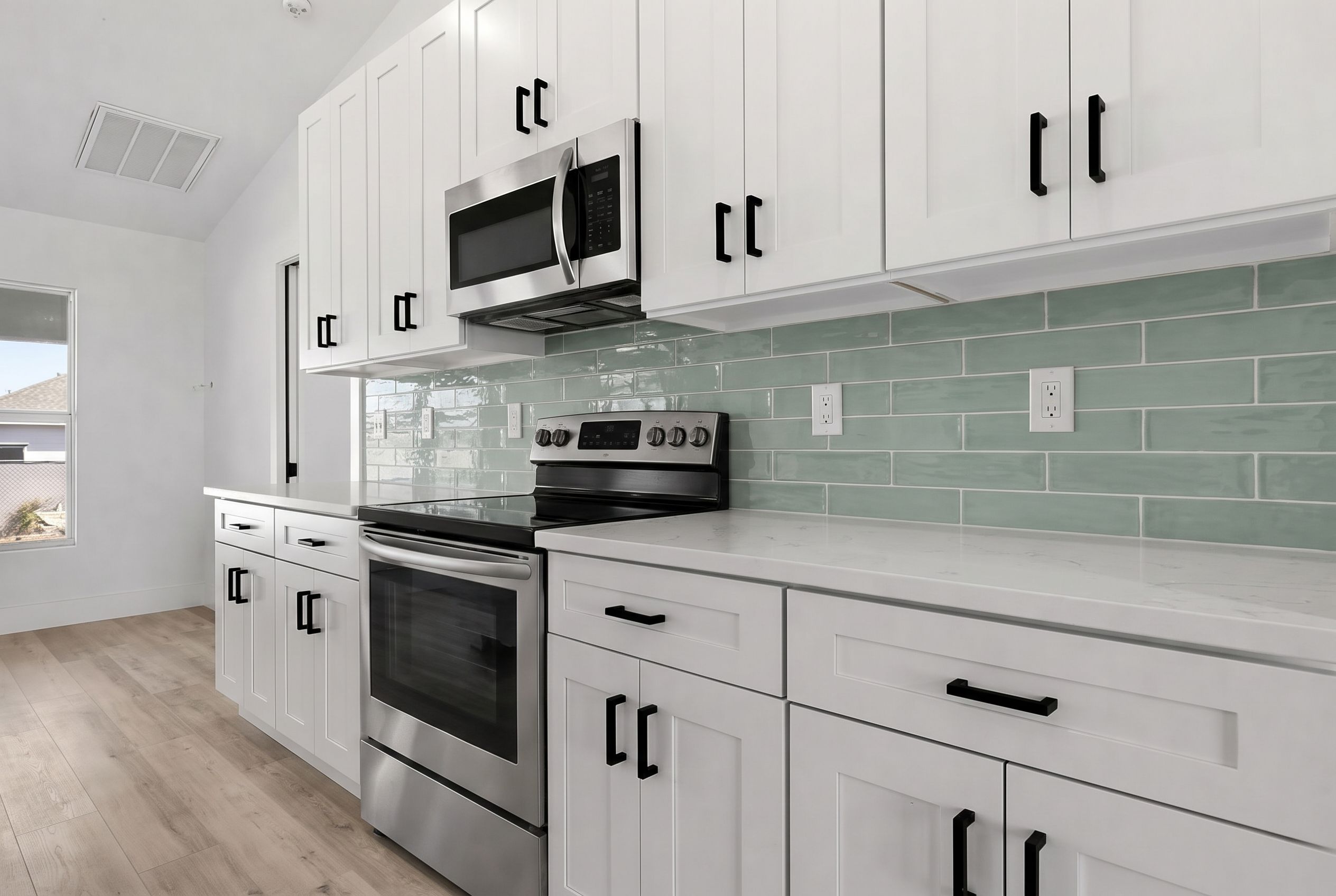
Upload the range-wall photo and attach the Aloe tile swatch. EDIT changes only the band between the counter and the upper cabinets to Marin Ceramic Aloe, 2.5 by 10 inches, set horizontally with light grout. The window wall, the paint above the cabinets, and the floor stay. One run is $0.50. The nine-panel sheet is a second run.
The prompt
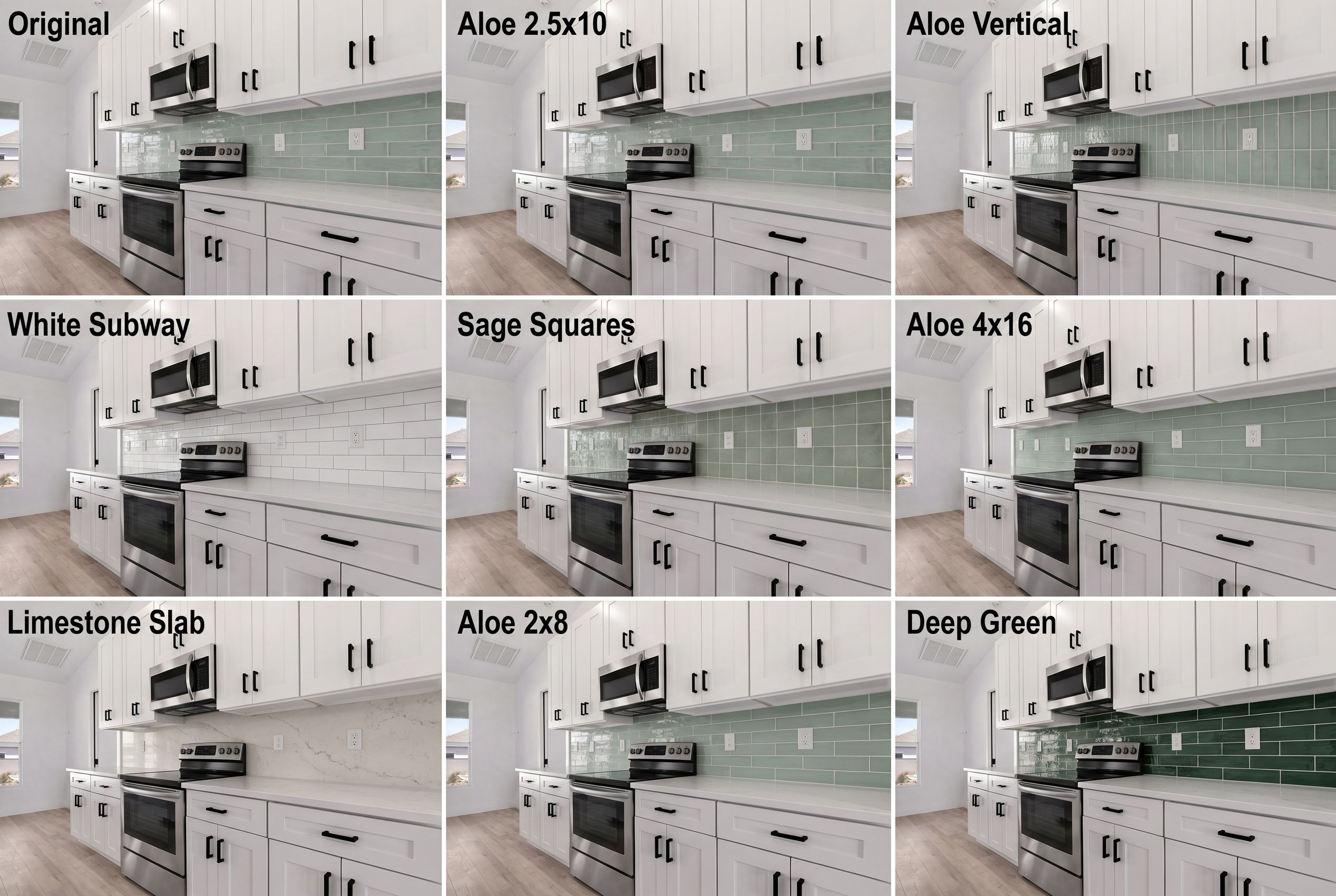
Backsplash sheet
Generate a 3x3 grid composition (9 panels total). Maintain uncropped aspect ratio and composition of original image. You may only change the existing backsplash and nothing else. The backsplash is only the band between the countertop and the bottom of the upper cabinets. Do not tile above the upper cabinets, below the counter, or on the left window wall. Do not add stools, an island, or furniture. Row 1: Panel 1: Original Image. Do not alter. Label: "Original" Panel 2: Change the backsplash to Marin Ceramic Aloe, 2.5 by 10 inch glossy rectangles, horizontal running bond, light grout. Label: "Aloe 2.5x10" Panel 3: Change the backsplash to the same Aloe tile stood vertically, stacked, light grout. Label: "Aloe Vertical" Row 2: Panel 4: Change the backsplash to glossy white 3 by 6 inch subway tile, horizontal running bond, light grout. Label: "White Subway" Panel 5: Change the backsplash to handmade sage 4 by 4 inch squares, light grout. Label: "Sage Squares" Panel 6: Change the backsplash to elongated 4 by 16 inch matte aloe rectangles, horizontal, tight grout. Label: "Aloe 4x16" Row 3: Panel 7: Change the backsplash to a pale limestone slab with soft grey veining. Label: "Limestone Slab" Panel 8: Change the backsplash to narrow 2 by 8 inch glossy aloe tile, horizontal, wider light grout. Label: "Aloe 2x8" Panel 9: Change the backsplash to dark green glazed 2.5 by 10 inch tile, horizontal, light grout. Label: "Deep Green" Output Rules: Photorealistic: Ensure texture mapping aligns with the original perspective and room vanishing points. Geometric Locking: Walls, baseboards, cabinets, counters, and appliances must remain in the exact same position across all panels. Labels: White text labels on bottom center of each panel.
What to know
- The single photo used this instruction: Change only the backsplash to Marin Ceramic Aloe 2.5x10, horizontal, light grout, band between counter and uppers. Keep everything else. The reference image is the tile. Do not add stools, an island, or furniture. The wall above the upper cabinets stays painted white. Do not put tile above the cabinets, below the counter, or on the left window wall.
- The sheet asked for white labels at the bottom center of each panel. On this run the labels landed at the top.
- This cooking wall has no island and no stools. The prompt keeps it that way.